Can You Play Nascar Heat 4 With a Controller?
If you’re a fan of Nascar Heat 4 and want to enhance your gaming experience with a controller, this article is for you.
We will explore the different controller options available for Nascar Heat 4, discuss the pros and cons of using a controller, and provide a step-by-step guide on setting up a controller for the game.
Discover some of the best controllers for Nascar Heat 4 to maximize your gaming experience and elevate your gameplay to the next level.
Key Takeaways:
What Is NASCAR Heat 4?
NASCAR Heat 4 is a thrilling racing video game developed by Monster Games and published by 704Games.
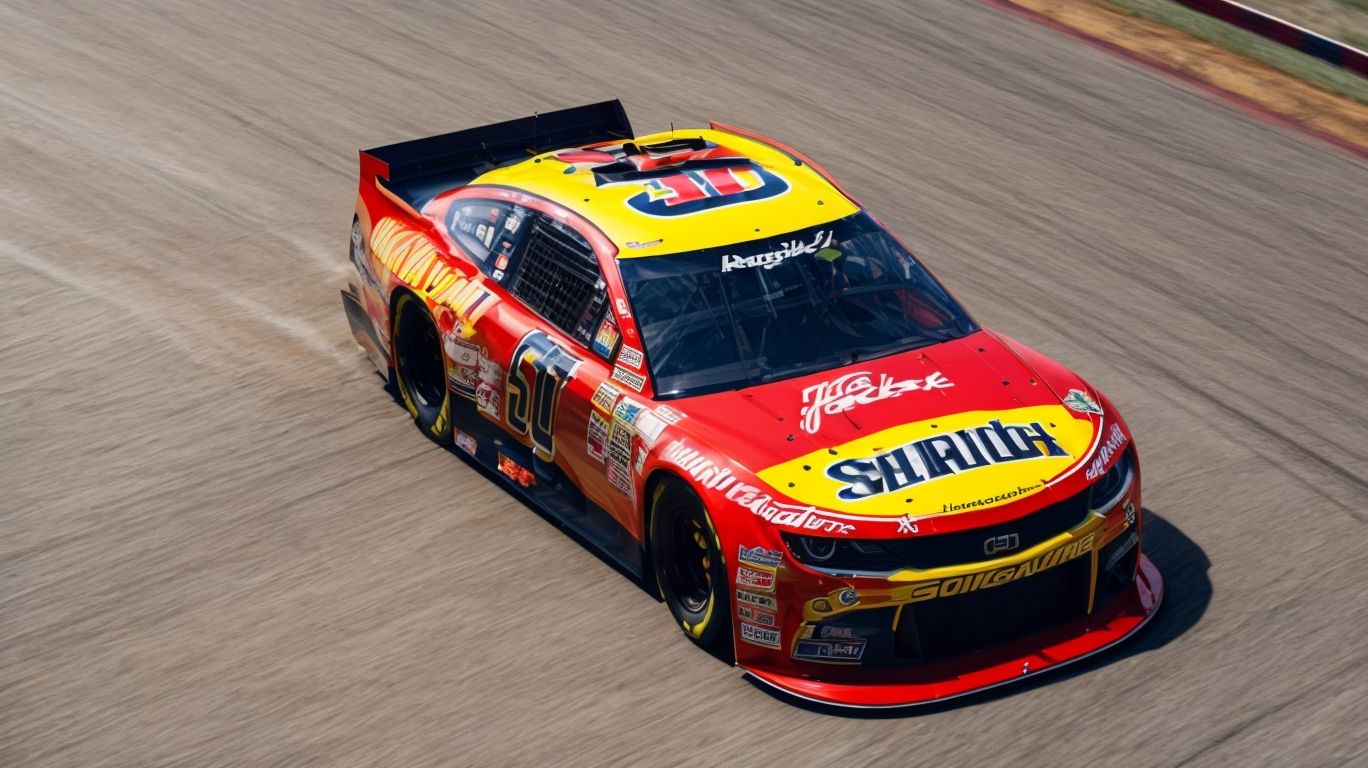
Building on the success of its predecessors, NASCAR Heat 4 offers an immersive racing experience that captures the essence of NASCAR competition.
The game features enhanced graphics, realistic physics, and updated AI for a more authentic feel on all platforms, including PlayStation, Xbox, and PC.
Players can participate in various modes such as Career, Championship, and Multiplayer, allowing for a diverse range of gameplay experiences.
NASCAR Heat 4 has garnered critical acclaim for its attention to detail, customization options, and the inclusion of popular DLC content expanding the game’s offerings.
What Platforms Is NASCAR Heat 4 Available On?
NASCAR Heat 4 is available on multiple platforms, including Steam for Windows and Linux users.
For Windows users, NASCAR Heat 4 can be played on Windows 8.1 or Windows 10 operating systems, offering compatibility with both 32-bit and 64-bit architectures. The game requires a minimum of an Intel Core i3-530 or AMD FX-4100 processor, 4 GB of RAM, and an NVIDIA GeForce GT 640 or ATI Radeon HD 6670 graphics card to run smoothly.
Linux users can enjoy NASCAR Heat 4 through Steam Play, leveraging the Proton compatibility layer. This allows gamers on Linux systems to experience the same adrenaline-fueled racing action as their Windows counterparts.
What Are the Controller Options for NASCAR Heat 4?
NASCAR Heat 4 provides players with a variety of controller options to enhance their racing experience.
One of the key features in NASCAR Heat 4 is the support for steering wheel setups, allowing players to simulate a true racing experience with more accurate control and feedback. Whether you prefer a traditional game controller or a specialized racing wheel, the game offers compatibility with popular devices like the Logitech G29, Thrustmaster T300 RS, and Fanatec CSL Elite Racing Wheel.
Along with steering wheels, players can also utilize game controllers such as Xbox or PlayStation controllers for a more casual gameplay style. For those who prefer the classic keyboard inputs, NASCAR Heat 4 allows customization of key bindings to suit individual preferences.
Steering Wheel and Pedals
Using a steering wheel and pedals in NASCAR Heat 4 offers players a more immersive and realistic racing experience.
Steering wheel and pedal setups provide players with enhanced control precision, allowing for more realistic maneuvering through tight corners and precise adjustments to speed and acceleration. This enhanced control not only increases the overall realism of the gameplay but also offers a more engaging and immersive experience for racing enthusiasts.
The tactile feedback and responsiveness of steering wheels and pedals closely mimic the sensation of driving a real racing car, adding an extra layer of immersion that enhances the overall gameplay experience.
Game Controller
Utilizing a game controller in NASCAR Heat 4 allows for seamless gameplay and multiplayer interaction.
One of the key benefits of using a game controller for NASCAR Heat 4 is the enhanced ease of use it provides for players. The ergonomic design of the controller allows for more comfortable and intuitive gameplay, reducing wrist strain and fatigue during extended gaming sessions.
Regarding multiplayer functionality, a game controller opens up a whole new level of interaction and competitiveness. Players can easily join multiplayer races, compete against friends or other online opponents, and experience the thrill of real-time racing action.
Another advantage of using a game controller is the competitive edge it offers. With more precise control over steering, acceleration, and braking, players can fine-tune their driving skills and gain a significant advantage over their competitors. This can lead to improved lap times, better race results, and ultimately, a more satisfying gaming experience.
Keyboard
Playing NASCAR Heat 4 with a keyboard provides players with a traditional input method and convenient save game functionality.
The keyboard serves as a versatile control option in NASCAR Heat 4, giving players the flexibility to customize key mappings according to their preferences. With intuitive key mapping capabilities, players can optimize their gaming experience by assigning actions to specific keys that suit their gameplay style.
Utilizing a keyboard allows players to seamlessly navigate through the game menu, adjust settings, and access various features with ease. The save game functionality ensures that players can securely store their progress and pick up right where they left off, making the gaming experience more immersive and user-friendly.
Can You Play NASCAR Heat 4 With a Controller?
Yes, you can play NASCAR Heat 4 with a controller, offering a versatile and engaging multiplayer experience.
NASCAR Heat 4 provides extensive controller support, ensuring seamless gameplay for both casual and avid gamers. The multiplayer functionality in the game allows you to compete against friends or other players online, enhancing the thrill of the racing experience. Controller support in NASCAR Heat 4 extends to various platforms, including consoles and PCs, offering flexibility and accessibility to a wide range of players.
With customizable control options, you can tailor your gameplay experience according to your preferences, whether you prefer a more traditional controller layout or wish to optimize controls for maximum performance. The compatibility of controllers with NASCAR Heat 4 enriches the multiplayer aspect of the game, creating competitive and immersive racing experiences for players of all skill levels.
What Are the Advantages of Using a Controller?
Using a controller in NASCAR Heat 4 provides players with enhanced control, precise inputs, and an immersive racing experience.
One of the key advantages of utilizing a controller for NASCAR Heat 4 is the ability to finely tune your movements, steering, and acceleration with a level of precision that enhances your overall gameplay.
Players often find the experience more immersive with a controller due to the seamless integration of controls and feedback, allowing for a heightened sense of being behind the wheel of a high-speed racing machine.
In addition, the competitive edge gained by using a controller can be significant, as the responsiveness and flexibility it offers can give players an edge in tight races and critical maneuvers, making it an essential tool for those aiming to excel in the game.
What Are the Disadvantages of Using a Controller?
The disadvantages of using a controller in NASCAR Heat 4 may include configuration issues, learning curve, and potential compatibility limitations.
In the realm of NASCAR Heat 4, controllers can often present challenges in terms of achieving the ideal control setup for optimal performance. The intricacies of fine-tuning control configurations to suit individual playing styles can be daunting, especially when compared to the more straightforward plug-and-play nature of a steering wheel setup.
Configuration issues can arise from the need to adjust sensitivity, dead zones, and button mappings to achieve the desired level of control precision, which may take time to perfect.
The learning curve associated with mastering controller inputs in a high-speed racing environment can also be steep. Achieving precise steering, acceleration, and braking control through thumbsticks and triggers demands a level of muscle memory and coordination that may be more intuitive with a steering wheel setup.
Moreover, compatibility limitations with certain controllers can further exacerbate the challenges. Not all controllers may offer the same degree of responsiveness or customization options, leading to potential disparities in gameplay experience. These concerns highlight the need for careful consideration when opting for a controller configuration in a game like NASCAR Heat 4.”
How to Set Up a Controller for NASCAR Heat 4?
To set up a controller for NASCAR Heat 4, follow these steps to ensure seamless gameplay and optimal performance.
Begin by connecting your controller to your gaming device using the appropriate cable or wireless connection. Once connected, navigate to the game’s settings menu where you will find the controller configuration options. Next, adjust the controller sensitivity, dead zones, and button mapping to your preference.
- Calibrating your controller is crucial for accurate input recognition. Use the calibration tools provided within the game to fine-tune the analog sticks and triggers. Test the controller responsiveness by making small adjustments until you achieve the desired control.
If you encounter any issues with your controller setup, ensure that the drivers are up to date and compatible with your gaming system. Check for any physical damage or interference that may affect the controller’s performance. Troubleshoot by resetting the controller settings to default and reconfiguring them based on the game’s requirements.
Connecting the Controller to Your Device
Connecting your controller to your device for NASCAR Heat 4 is a straightforward process that ensures seamless integration with the game.
Before diving into the gameplay, it’s crucial to first verify that your controller is compatible with the gaming device. Check the manufacturer’s specifications to ensure the controller supports connectivity with your specific gaming platform, whether it’s a console or a PC. Once the compatibility is confirmed, proceed by installing the necessary drivers for the controller on your device. This step is essential to enable the device to recognize and communicate with the controller seamlessly.
Adjusting Controller Settings in the Game
Fine-tuning your controller settings within NASCAR Heat 4 can optimize your gameplay experience, responsiveness, and control precision.
One key aspect to consider is the sensitivity options available for your controller. Adjusting these settings can significantly impact how your car handles on the track. Experiment with the steering, throttle, and braking sensitivities to find the perfect balance that suits your driving style.
Delving into button mapping allows you to customize the controls to align with your preferences. Create a setup that feels intuitive and enhances your gameplay flow. Remember to explore the various custom configurations offered in the game, tweaking them to tailor the experience to your liking.
What Are the Best Controllers for NASCAR Heat 4?
The best controllers for NASCAR Heat 4 include the Xbox One Controller, PlayStation DualShock 4 Controller, and Logitech G27 Racing Wheel.
For players seeking the classic console experience with seamless compatibility, the Xbox One Controller stands out as a reliable choice. Its ergonomic design, responsive buttons, and precise analog sticks make it a favorite among NASCAR Heat 4 enthusiasts. The PlayStation DualShock 4 Controller offers a similar level of performance, with its familiar layout and touchpad adding a touch of modernity to the gaming experience.
Racing enthusiasts looking for a more immersive gameplay can opt for the Logitech G27 Racing Wheel. This peripheral enhances the realism of driving simulations, providing a more tactile and engaging experience. Its force feedback mechanism and adjustable pedal set offer unparalleled control over the vehicle, elevating the gameplay to a whole new level.
Xbox One Controller
The Xbox One Controller is a popular choice for NASCAR Heat 4 players due to its ergonomic design, responsive controls, and seamless integration with the game.
Complementing the controller’s design is its sturdy construction, ensuring durability during intense racing sessions. The button layout offers intuitive access to essential functions, enhancing gameplay efficiency and reducing response times. Its compatibility with both Xbox One consoles and Windows PCs provides versatility for players across platforms, offering a consistent gaming experience.
The controller’s precise analog sticks and triggers offer enhanced control over acceleration, braking, and steering in NASCAR Heat 4, allowing players to fine-tune their driving strategies with accuracy. The integrated vibration feedback further immerses players in the high-speed racing action, heightening the realism of the gameplay experience.
PlayStation DualShock 4 Controller
The PlayStation DualShock 4 Controller offers NASCAR Heat 4 players a versatile and intuitive control option for multiplayer racing sessions.
One of the key advantages of utilizing the DualShock 4 Controller for NASCAR Heat 4 is its seamless compatibility with the game’s mechanics, providing players with precise steering, braking, and acceleration controls. This controller enhances the overall gaming experience by offering tactile feedback through its responsive buttons and analog sticks, ensuring smooth gameplay even during intense racing scenarios.
Additionally, the DualShock 4’s ergonomic design fits comfortably in the hands, reducing fatigue during extended gaming sessions.
Logitech G27 Racing Wheel
The Logitech G27 Racing Wheel provides NASCAR Heat 4 players with a realistic and immersive racing experience, enhancing gameplay authenticity and control precision.
The G27 Racing Wheel is equipped with advanced force feedback technology that delivers a lifelike driving sensation by simulating the effects of traction loss, road texture, and weight shift. This feature allows players to feel every turn and bump on the track, increasing their situational awareness and responsiveness.
The pedal set included with the G27 offers remarkable sensitivity, enabling precise throttle, brake, and clutch control. This fine-tuned responsiveness improves overall driving performance and accuracy, giving players a competitive edge in races.
The wheel’s compatibility with a wide range of platforms, including PC and gaming consoles, ensures that players can enjoy the same high-quality racing experience across different devices.
Conclusion
In conclusion, NASCAR Heat 4 delivers an exhilarating racing experience with its diverse controller support options, immersive gameplay, and thrilling multiplayer races.
The game boasts an impressive lineup of officially licensed NASCAR teams and drivers, providing players with an authentic racing experience. With realistic car handling and physics, players can feel the intensity of high-speed races as they navigate through various tracks and challenges. Along with single-player modes,
NASCAR Heat 4
offers engaging multiplayer options, allowing players to compete against friends or join online races with other gamers worldwide. The game’s attention to detail and customization options further enhance the overall gameplay experience, making it a must-have for fans of racing simulations.